Preview
Take a look inside
A clean and fast experience, free and Premium.
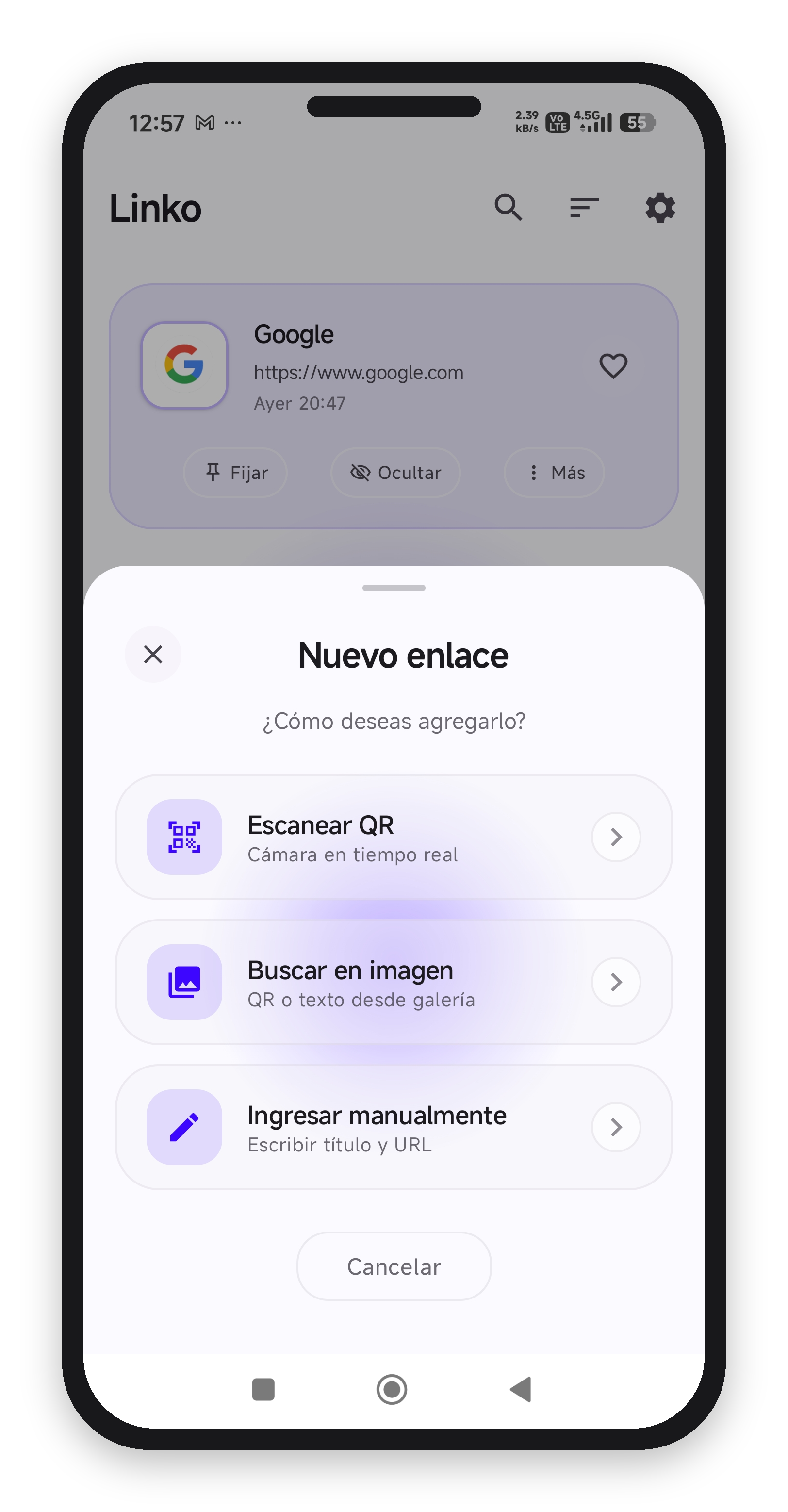
Linko is an Android app to save and organize links. Add them your way: type them manually, share them from any app, or scan them with your camera — QR codes and text recognized with built-in OCR. Edit the title, add notes, organize everything in folders, and generate QR codes to share. With optional backups to your own Google Drive.
Linko is an Android application that helps you save and organize links. There are three ways to add a link: type it manually, share it directly from any app with autofill, or scan it with your camera — Linko detects QR codes and recognizes text in any photo with built-in OCR, extracting the link automatically. Save it with a title, personal notes, and a folder.
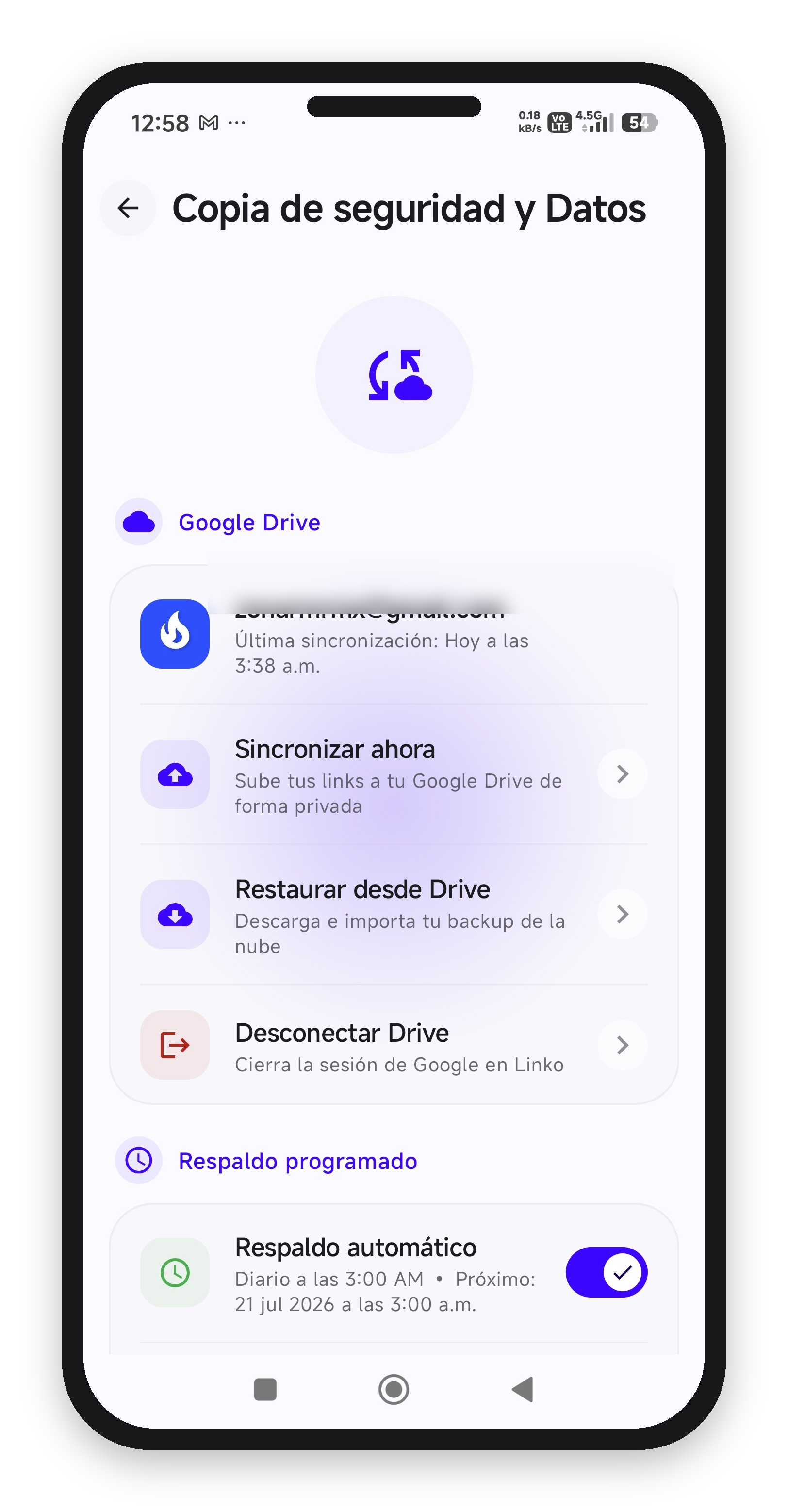
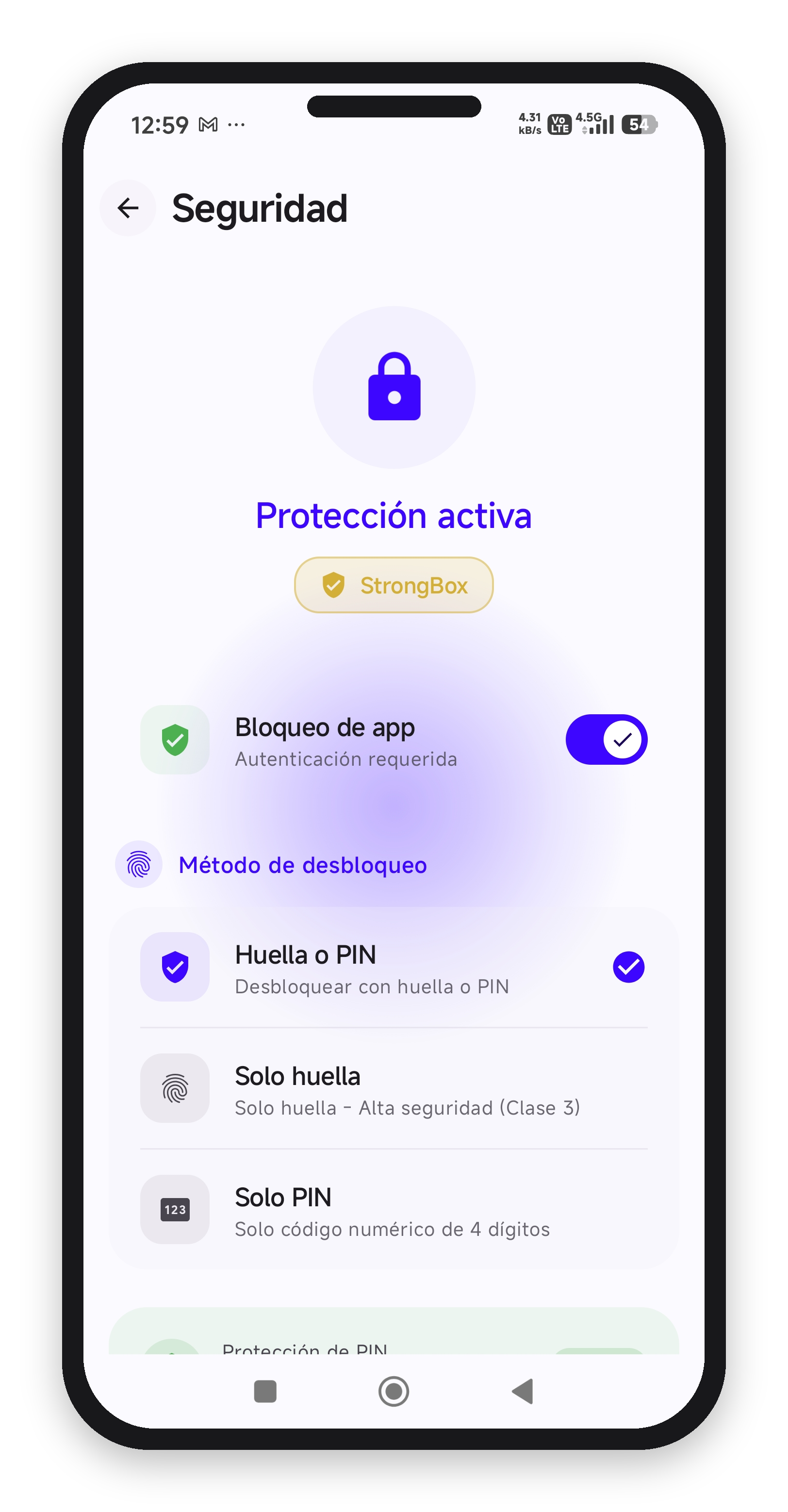
You can also generate QR codes from your saved links to share them, lock the app with a PIN or fingerprint, and optionally back up your data — locally as an encrypted file, or by connecting your own Google Drive account for cloud backups. Linko does not have its own servers: your data stays on your device or in your personal Google Drive.
How Linko uses your Google data: if you enable Google Drive backup, Linko signs you in with your Google account and requests access only to the backup files it creates in your Drive. Linko never sees your Google password, cannot read your other Drive files, and does not send your data to any external server. You can revoke this access anytime from your Google Account settings.
Scan, customize and organize. That easy.
Point your camera at a QR code or pick a photo from your gallery. Built-in OCR detects QR codes and text, extracting the URL automatically.
Edit the title, add personal notes and choose the folder to save it.
Find your link when you need it. Open it in your browser or generate a QR to share it.
Not only do you save QRs, you also create QRs from your links.
A clean and fast experience, free and Premium.
Complete tools to manage your links.
Scan QR codes in real time with your camera, or pick any photo from your gallery — Linko detects QRs and recognizes text (OCR) to extract links automatically.
Type links yourself, or share them straight from any app — the form autofills for you.
Organize your links in custom folders. Pin, hide, or mark favorites to find everything fast.
Back up your whole collection in JSON format and restore it anytime. Never lose your links.
Unlock the full experience with these exclusive features.
Unlimited links and folders. No restrictions on how much you can save or organize.
Deleted a link by mistake? Recover it from the trash before it's gone for good.
Protect your data with AES-256 encryption and lock the app with your PIN or fingerprint.
Schedule automatic backups locally or to your own Google Drive, and restore in one tap.
Create QR codes with your logo and colors, plus exclusive Premium themes.
Download Linko and start scanning QR codes, saving URLs with your personal notes and generating QR codes to share.
Get it on Google PlayAndroid 7.0+ • Free • No ads